The New Olympus M.Zuiko ED 12 to 50mm Zoom Lens

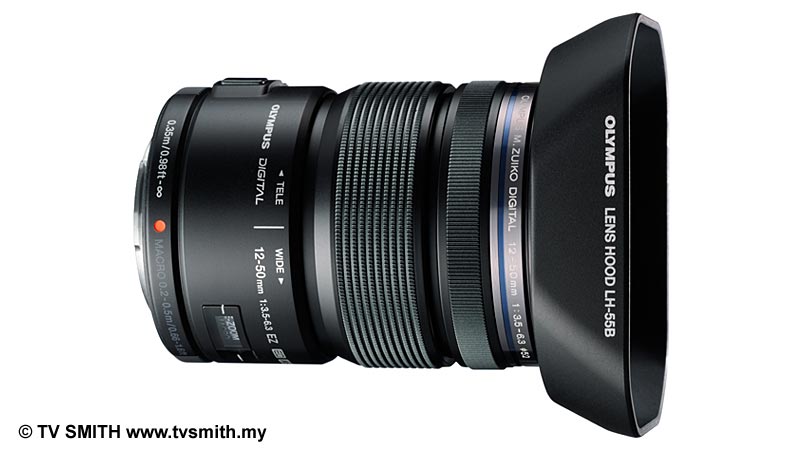
The New Olympus M.Zuiko ED 12 to 50mm Zoom Lens - Black Version with Hood

The New Olympus M.Zuiko ED 12 to 50mm Zoom Lens – Black Version with Hood
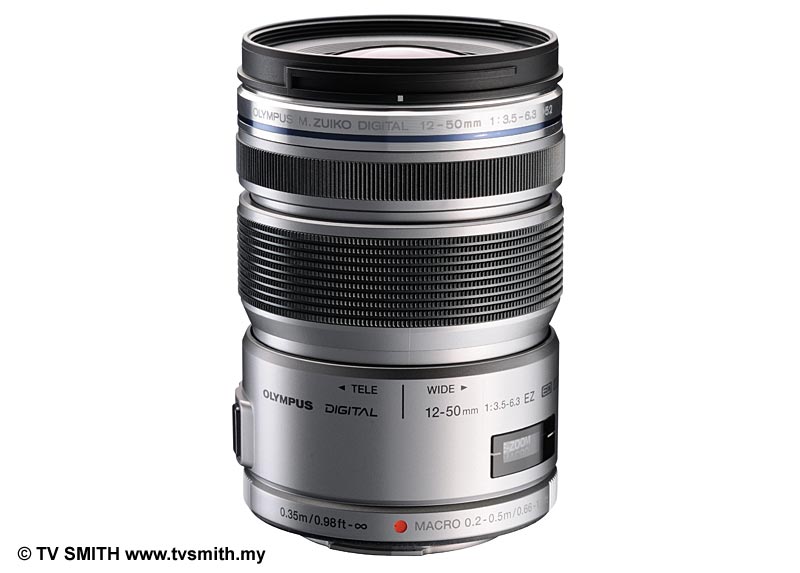
The New Olympus M.Zuiko ED 12 to 50mm Zoom Lens - Silver Version

The New Olympus M.Zuiko ED 12 to 50mm Zoom Lens – Silver Version

Press Release by Olympus Malaysia:

Olympus today announced the release of the M.ZUIKO DIGITAL ED 12-50mm f3.5-6.3 EZ, a Micro Four-Thirds System standard-compliant zoom lens featuring a motorized zoom mechanism.  With this new addition, Olympus can claim to have the widest range of lenses for this new system camera category, to date.

This new lens has a zoom ratio of approximately 4.2X, covering a range that extends from a wide angle of 24mm (35mm camera equivalent) – ideal for taking wide shots even indoors – to a medium telephoto focal length of 100mm (35mm camera equivalent), which is optimal for portraits.

It is the first Olympus interchangeable lens to incorporate a motorized zoom mechanism, especially useful in movie shooting,  thanks to the smooth, quiet zooming mode. The AF system is based on the MSC (Movie & Still Compatible) mechanism enhanced by a newly developed linear motor drive that enables faster, quieter focusing.

To ensure the best possible image quality, this sophisticated lens comprises 9 lens groups with 10 elements, including three aspherical elements. Special glass materials are used extensively to correct various aberrations and all lens surfaces are multi-coated to ensure high transmittance and clear imaging performance.

The lens also features a macro mode for close-up shooting with a closest focusing distance of 0.2 meters and maximum image magnification of 0.72X (35mm camera equivalent). In addition, an L-Fn (Lens Function) button allows the user to stop auto-focusing temporarily.

Finally, as befits a lens designed for the highly mobile Micro Four-Thirds System, this new lens employs the proven dust-/splash-proof mechanism originally featured in the ZUIKO DIGITAL SHG and HG (Super High Grade and High Grade) series lenses. The result is a versatile zoom lens usable in the toughest conditions and capable of everything from close-up wide angle shooting to medium range telephoto shooting of both still images and movies.

The new M.ZUIKO DIGITAL ED 12-50mm f3.5-6.3 EZ will be available from January 2012 and retail price will be confirmed at a later date.

Main Features:

1. 4.2X (approx.) zoom starting from a wide angle of 24mm (35mm camera equivalent) – ideal for wide shots even indoors.

The M.ZUIKO DIGITAL ED 12-50mm f3.5-6.3 EZ is a zoom lens with a zoom ratio of approximately 4.2X, covering a range that extends from a wide angle of 24mm (35mm camera equivalent) – ideal for taking wide shots even indoors – to a medium telephoto focal length of 100mm (35mm camera equivalent), which is optimal for portraits.

To enable a wide 84-degree angle of view to be captured at 24mm wide-angle, this zoom lens uses a DSA (Dual Super Aspherical) element that requires high-precision manufacturing because of the extremely large ratio between the thickness of the lens center and periphery, as well as double-sided aspherical elements located at an intermediate position between the lenses to correct spherical and chromatic aberrations that can accompany ,changes in the zoom ratio.

In addition, an HR (High Refractive index) element and ED (Extra-low Dispersion) element are combined for optimum correction of color aberrations. Thanks to the extensive use of special glass materials, the 9-group, 10-element lens construction of the zoom lens ensures high imaging performance throughout the zooming range. In addition, all lens surfaces are multi-coated to ensure high transmittance and clear imaging performance even under unfavorable conditions such as shooting against light.

The use of an inner zooming system means that there is no variation in overall lens length during zooming, ensuring that stability can be maintained during handheld shooting.

2. Motorized zoom mechanism for stable zooming at a constant rate.

This zoom lens is our first interchangeable lens to use a motorized zoom mechanism. This mechanism enables smooth, quiet, stable zooming at a constant rate, which is especially convenient for movie shooting.
This mechanism drives the zoom lens at one of three selectable speeds and allows the user to control zooming as desired, including slow zooming during movie shooting, detailed composition setting, and quick zooming when required.
Manual zooming is also available, allowing the user to take full control over zooming if desired.

3. MSC mechanism enhanced by linear motor drive for faster, quieter AF control.

Developed independently by Olympus, the MSC (Movie & Still Compatible) mechanism features advanced optical design technology developed for fast, quiet focusing. The new M.ZUIKO DIGITAL ED 12-50mm f3.5-6.3 EZ enhances the MSC mechanism by a new linear motor drive. Driving the coil linearly with a direct electromagnetic force without using a gear that would produce noise, the new lens can drive autofocusing with swift start-up and faster, quieter and smoother operation. The smooth autofocusing enables comfortable, stress-free shooting with both movies and still images.

4. Convenient features including macro mode for close-up shooting at 0.72X magnification (35mm camera equivalent) and the L-Fn (Lens Function) button with focus stop function.

The macro mode can be set by pushing the zoom ring forward, while depressing the macro abutton on the side of the lens. In this mode, focusing is possible between 50 and 20 cm for close-up shooting with a maximum image magnification of 0.72X (35mm camera equivalent). Another new feature is the L-Fn (Lens Function) button, which can activate the focus stop function that stops the autofocusing operation temporarily. This makes it possible to avoid unintended focusing on an obstacle that may appear suddenly between the camera and the subject.

5. Dust/splash-proof mechanism.

Already proven with the SHG (Super High Grade)/HG (High Grade) series of ZUIKO DIGITAL lenses, our highly reliable dust/splash-proof mechanism is now incorporated for the first time in a product compliant with the Micro Four Thirds System. This mechanism uses multiple sealing rings fitted in key positions of the lens to prevent water splashes and dust from penetrating the lens.

Update: You can see my pics with the new 12-50mm lens starting from here

The Malaysia Air Festival

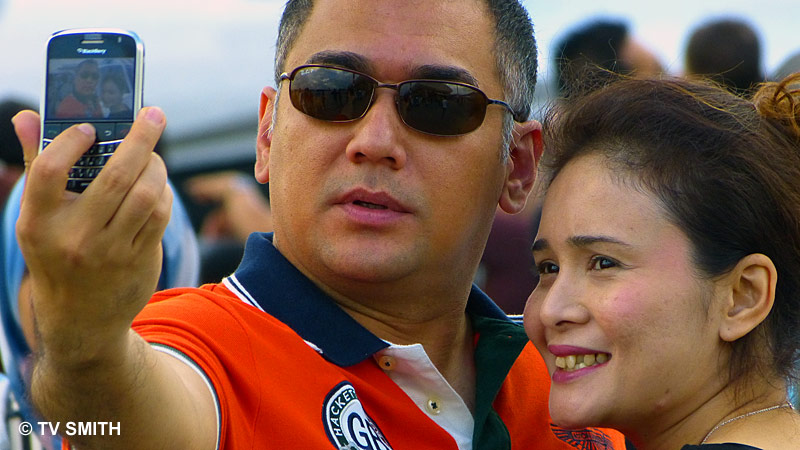
A great portraiture lens (or is it camera?)

A great portraiture lens (or is it camera?)

The Malaysia Air Festival at Subang Airport presented a chance to test the new Panasonic bridge camera. The FZ 150 is a 24X supersoom with a range of 25mm to 600mm! It even takes the wide angle lens attachment from my LX-5 for an ultra-wide angle of 17.5mm (but zoom-through is not useble with it).

I am contemplating whether to take just this camera to LIMA 2011 Air Show in Langkawi and the Rainforest Challenge in Terengganu in the weeks ahead. Would be nice to go on this long journey without a battery of system bodies and lenses. So far, the quality of the Panasonic FZ 150 looks promising. Auto focus is fast and its burst mode is awesome.

Using the latest Panasonic Class 10 SDHC card, I was able to shoot at a continous 5 frames per second (fps) without it ever stopping to buffer. At 12 frames (fps) per second it does pause for writing to card after a short burst. I didn’t try the scorching 40 fps (reduced resolution) mode though. Surprisingly for a camera at this price level, it also does Full HD video in 1080p.

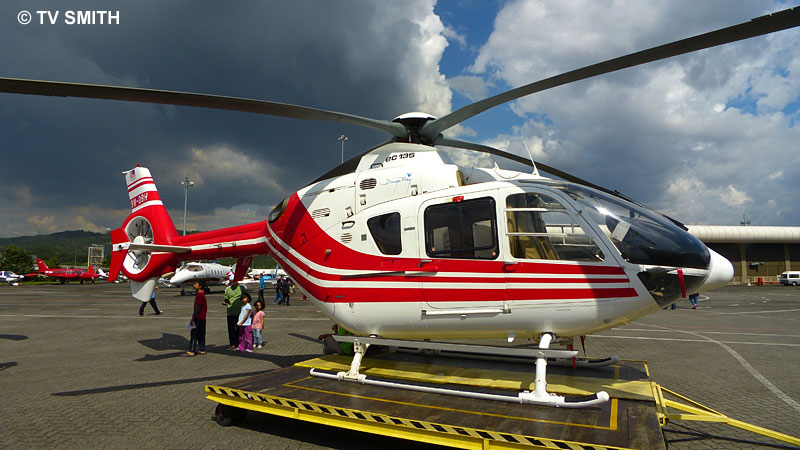
Static display on the tarmac with the wide attachment

Static display on the tarmac with the wide attachment

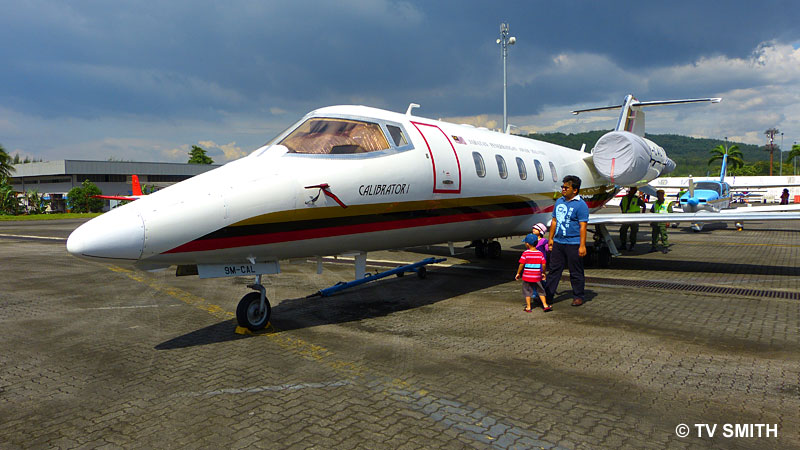
More static display on the tarmac with the wide attachment

More static display on the tarmac with the wide attachment

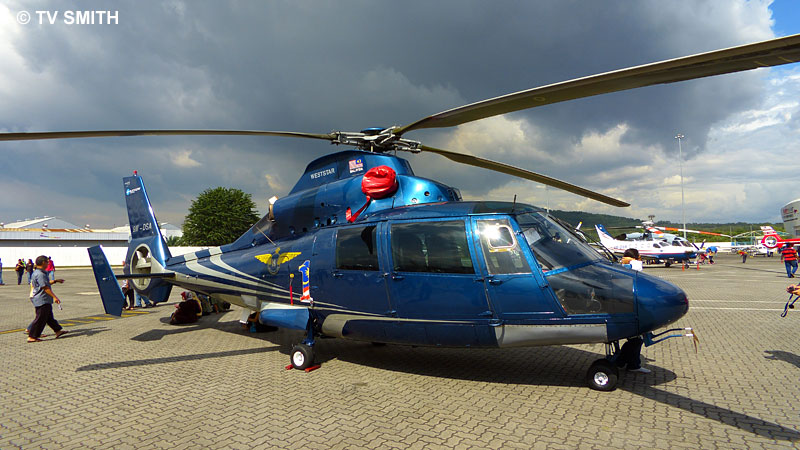
One more chopper on the tarmac

One more chopper on the tarmac

Picnicking under the wings: Mid tele with the Panny FZ 150

Picnicking under the wings: Mid tele with the Panny FZ 150


Keeping a fast moving object in the center of frame at 600mm won't be easy, of course

Keeping a fast moving object in the center of frame at 600mm won't be easy, of course

The super zoom is great for picking out candids

The super zoom is great for picking out candids

Cute kids seem to know a lens is pointed at them no matter how far it is

Cute kids seem to know a lens is pointed at them no matter how far it is

I like how the UV haze turned the distant hills bluish. The AF tracked the off-center sky diver very well

I like how the UV haze turned the distant hills bluish. The AF tracked the off-center sky diver very well

The Malaysia Air Festival, initiated by the Department of Civil Aviation (DCA), is held in conjunction with the centennial celebration of aviation in Malaysia. The first of which is taking place at the Sultan Abdul Aziz Shah International Airport, hosted by Subang Skypark. It runs till Sunday, so there’s still time to head there.

Getting There: MyCen Map & Directions to Subang SkyPark Terminal

All pictures photographed with the Panasonic FZ150 by & © TV Smith

Tip: You can view larger versions of the images here, gallery-style. When the page finishes loading, click on any picture. Navigate via the arrows on each side of the frame.

How To Connect Your Unifi Set-Top Box Wirelessly

It's a jungle out there

It's a jungle out there

One of the gadgets (and services) that comes with TM’s Unifi fibre-optic broadband is the video/TV streaming application. This is done via a set-top box, similar in concept to the Astro satellite decoder. The technology inside and the delivery path is of course fundamentally different.

The terrestrial channels are TV1, TV2, TV3, NTV7, 8TV and TV9. Additional free cable channels include Bernama TV, Hikmah, Channel NewsAsia, Luxe.TV HD, Euronews, DW-TV Asia, Australia Network, Bloomberg TV and The Travel Channel.

HyppTV is available to residential users but not for Unifi Biz installation at commercial or business premises. I’m guessing it is due to licensing restrictions imposed by content providers. HyppTV is naturally happy to gloat about the fact that its reception is not susceptible to rain and other atmospheric conditions.

What’s interesting about IPTV is that it incorporates ‘time-shift’ viewing. Most of the programs can be moved back by two hours with variable speed rewind/forward and pause function. Users can also purchase titles via VOD (Video-On-Demand) and subscribe to premium channels with a few clicks on the remote control.

The current Unifi set-up involves routing the fibre-optic cable from the pole to a Broadband Termination Unit (Huawei Echolife HG 850) inside the house. A LAN cable connects it to the supplied VLAN-capable wireless router (D-Link DIR 615). The 3rd piece of equipment, the set-top box (Huawei EC2108E) streams video content to a television set or monitor.

Unifi Residential Set-up Connection Schematic/Diagram

Unifi Residential Set-up Connection Schematic/Diagram

Contrary to some reports, the wireless N router performed sufficiently well with regard to Internet access. I am able to receive the signals on different floors with download speeds very close to a direct cable connection. If you are getting weak signals at certain spots, a wi-fi extender may help.

The present promo package also comes with a free Motorola DECT cordless phone which I won’t be using. I already have a Siemens pair in operation and so it was just a matter of plugging out the old copper wire and plugging it into the voice port of the Huawei. Fax is not supported, though.

Positioning the set-top box can be tricky as it needs to be near the television. Connection is via the supplied HDMI cable. If you have an older TV, there are analogue RCA, S-Video and component outputs too. Problem is the STB is tethered to the router by a network cable.

As such, the Unifi installer will usually recommend placing the set-top box, along with the BTU (Broadband Termination Unit a.k.a. Optical Network Terminal) and PG (Premise Gateway a.k.a. Router), next to the TV. This is not always practical or desirable. I wanted the channels to be streamed to a TV upstairs and didn’t want to run a long RJ 45 cable. So how?

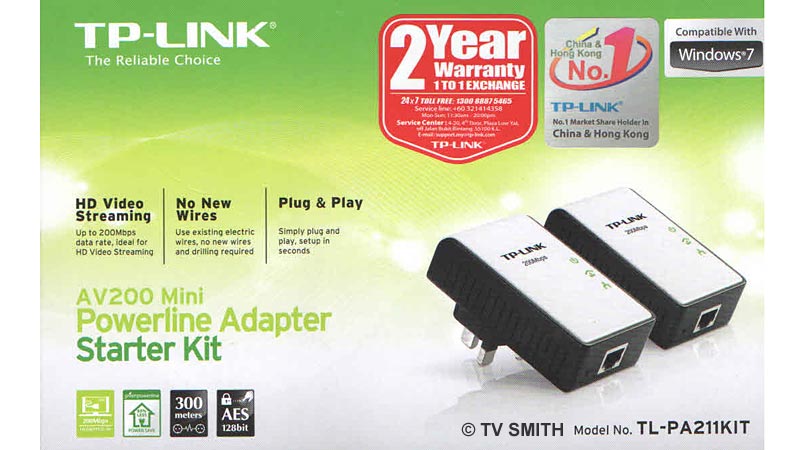
TP-Link's AV200 Mini Powerline Twin Kit

Enter TP-Link’s AV200 Mini Powerline Twin Kit or TL-PA211KIT (RM 150 street price). It is a pair of powerline adapters or ‘homeplugs’ that use existing electrical wires to transfer data. Setting it up is not as simple as the skimpy manual suggests, though.

First you need to pair the adapters. Before that, make sure both AC outlets are on the same phase if you have 3-phase electricity wiring. Since you have only 2 minutes after triggering the first unit, it is best to test everything out within the same room or same floor first.

I was having difficulty connecting at first, only to find out that the homeplugs will not work properly when the AC is ‘filtered’ by my UPS’s AVR circuitry. I suppose the filtering removes the embedded data. Plug it directly into a wall point to bypass.

Unlike Bluetooth pairing, you do not hold down the pairing button until it blinks. Hold it for about 5 seconds and then press the button on the other unit, also for around 5 seconds. The LED lights will start blinking as both units communicate. After about 45 seconds you are good to go.

Plug the LAN cable from the sender unit into one of the wireless router’s LAN port and then test the Unifi internet connection with your laptop plugged in at the other end. If all works, swap the input cable back to the VLAN port (coloured red). Move the decoder and accompanying homeplug to the room where your TV is located.

The video streaming via the homeplugs appears excellent with no drop-frames and compression artifacts. Of course, don’t expect the HD quality to be on par with that of Blue-Ray, even when connected directly. There you have it; a cheap and practical solution to deliver high quality streaming content to any point in your house.

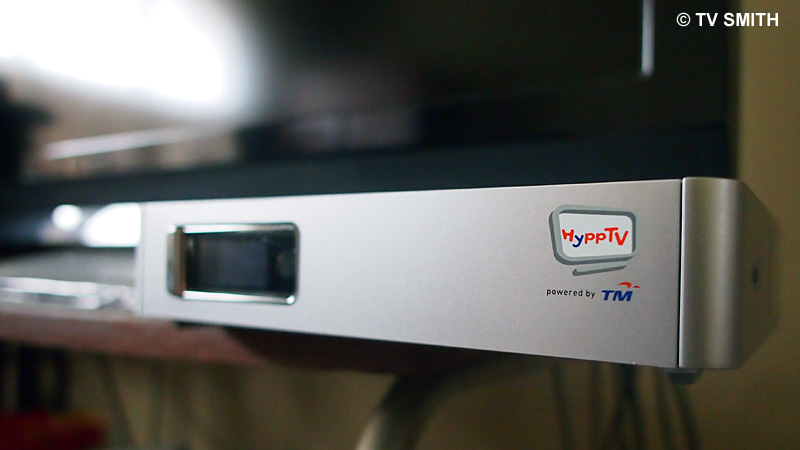
Placing the Set-Top Box where it belongs. Below the TV set

Placing the Set-Top Box where it belongs. Below the TV set

While we are at it, I like to remind new users to change two important settings. Connect to the Unifi wireless router via a network cable and log on to http://192.168.0.1./ Change your SSID as it is stupidly set to broadcast your user name, example ‘ah_lian@unifi’.

Also, set your router password and turn on WEP or WPA encryption for some form of security. Your wireless connection will now be disconnected and you will need to enter the key on your computer to re-establish connection.

Next go to the nearest TMpoint and terminate your Streamyx and old land line account 🙂 Happy Surfing!