Once upon a time, a long long time ago, there was this hobby where people exchanged letters with pen pals from around the world. Hand-written replies can take months to reach one another but it was worth the wait. There was a certain thrill in seeing an envelope with a strange stamp sticking out of the letter box. Nice as it was, the advent of e-mail and instant messaging soon put the snail mail out to pasture.
Today, not only can people communicate with random strangers at the speed of light, they can also share pictures just as quickly on social networking media via their phones. But what if you hate the quality or the lack of controls on a phone-cam or cam-phone?
Enter the Olympus PenPal. It is an optional accessory that slots into the hot shoe of any Olympus camera equipped with the new accessory port. The device transfers photos from the camera directly to a compatible phone by Bluetooth. From the phone, the pics can then be uploaded to a photo-sharing account online.
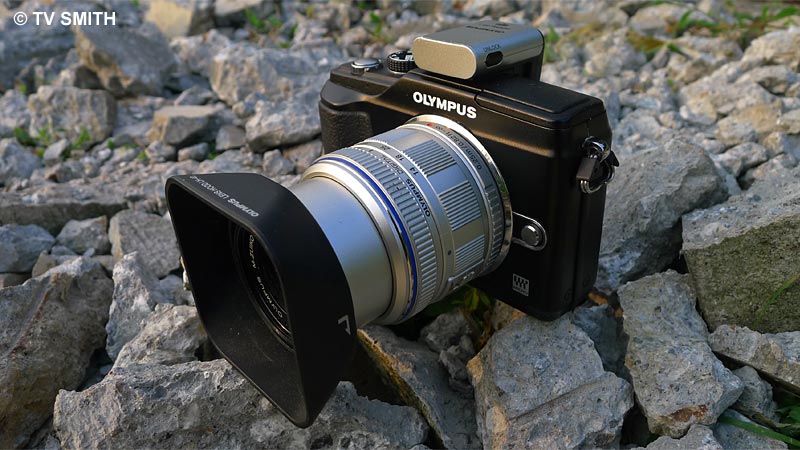
Rock Solid. PenPal on the Pen
Currently, there are few practical options for photographers wanting to send better quality photos out of a standalone camera, on location. With the PenPal, I can now upload pictures from my Olympus Pen camera without carrying a larger intermediate device such as my notebook or iPad.
For this review/test, I paired the PP-1 with a Samsung Galaxy S Android phone. I no longer need to shoot twice with two different devices when covering a news event that requires a live update. The original jpeg or raw files remain untouched in the camera while selected shots are resized and uploaded to my Twitpic account.

Ultrawide Chow Kit uploaded on location by PenPal
Get the bigger picture. To see the full-size Twitpic of above photo, go here
Initial (one-time) set-up was easy and intuitive enough. I didn’t even bother to read the instructions. After pairing, switch the camera to playback mode and select any picture shown on the LCD screen to export. I set the dongle to automatically reduce the export file size to 1980 by 1080 pixels. Selected images from the camera can also be copied and stored on the PP-1 (and vice-versa). And guess what? Unlike the (much more expensive) VF-2 viewfinder, there is a lock to prevent it from falling off accidentally.
For people who were put off by the messy execution of earlier BT devices, you may like to know that it is now entirely painless. In fact, it is amazingly seamless and robust. I didn’t even need to switch off the camera whenever I swapped the VF-2 for the PP-1. Every time I mount the PenPal, it communicates with the phone correctly, requiring no user intervention. The last thing you want to do under bright sun is to fiddle with settings repeatedly.
Any disadvantages? Users of other optional camera accessory such as a flash, viewfinder or microphone will need to swap devices each time. Since you are doing it on the fly, you will have to get used to seeing your own full size pictures later, after the world has seen it in all its glory 🙂
Happy Fourth of July to my American key pals!

Art Filtered-Lazy-Hazy-Sunday-Sunset uploaded from the hilltop
Get the bigger picture. To see the full-size Twitpic of above photo, go here
The Olympus PenPal PP-1 works with the new trio of E-P2, E-PL3 and E-PM1 cameras. It also works with the earlier Pen E-P2, E-PL2 and XZ-1. Reportedly, the PP-1 will not work with an iPad or iPod due to incompatible protocol. It works with most (but not all) Android, Nokia Symbian and Blackberry phones. Download compatibility chart PDF to check. I am testing a demo unit and Olympus Malaysia has yet to confirm availability nor price in Malaysia. Will update here when I have new info.