How To Take Better Pictures With The Samsung Galaxy S3 (Part 2)

Lemon Honey Soda Can Be Sublime

Lemon Soda Can Be Sublime. Back-lit with single ML240 light panel from bottom.
Samsung Galaxy S III, ISO 100, f 2.6, 1/465 sec with -1.5 stop compensation

In Part 2 of this series, we’ll cover food, glorious food. Since your Galaxy S III will be next to you most of the time, you will probably use it when you come across an interesting dish or drink. Whether you a blogger, foodie or a compulsive Facebook poster, here are some alternative methods to get better pics out of your phone cam.

Secret Recipe's Moist Choclate Mud Cake

Secret Recipe’s Chocolate Mud Cake. Using the GS3’s built-in LED light as fill light.
Samsung Galaxy S III, ISO 100, f 2.6, 1/100 sec with +0.5 stop compensation

The best light is natural light. If you can, find a table near the window during the day. Directional light always makes food look good. If you are dining out at night, the Galaxy S 3 has a sufficiently bright LED ‘flash’. The LED light is also good for fill light against a brighter background in the day. But the biggest limitation of a built-in flash is that it is always positioned near the lens. This makes the lighted scene look flat. Since I can’t move or remove it, I carry a couple of tiny external LED lights in my bag.

Lammeya's Chee Cheong Fun with Sesame Seeds

Lammeya’s Chee Cheong Fun with Sesame Seeds lit from side with LitePanel’s Micro.
The ML-240 was used to rim the back of the plate very subtly with its level control.
Samsung Galaxy S III, ISO 100, f 2.6, 1/17 sec

With the pair, I can shape and style the dish without touching the food. The lights, when properly angled, can make the food “pop” visually. The idea is to create a window light source, even when there is none or where the restaurant is very dark. Whichever method you choose, remember you are at a restaurant. You are not in a studio, so avoid styling the food itself. Style the light instead. Get it done fast and do not hold up your dining partners for too long. Bon Appétit!

Edible Contradiction: Lameeya's Healthy Fried Tofu

Edible Contradiction: Lameeya’s Healthy Fried Tofu. ML240 used as angled top light to bring out the texture of the fried bean curd.
Samsung Galaxy S III, ISO 100, f 2.6, 1/15 sec with -1 stop compensation 
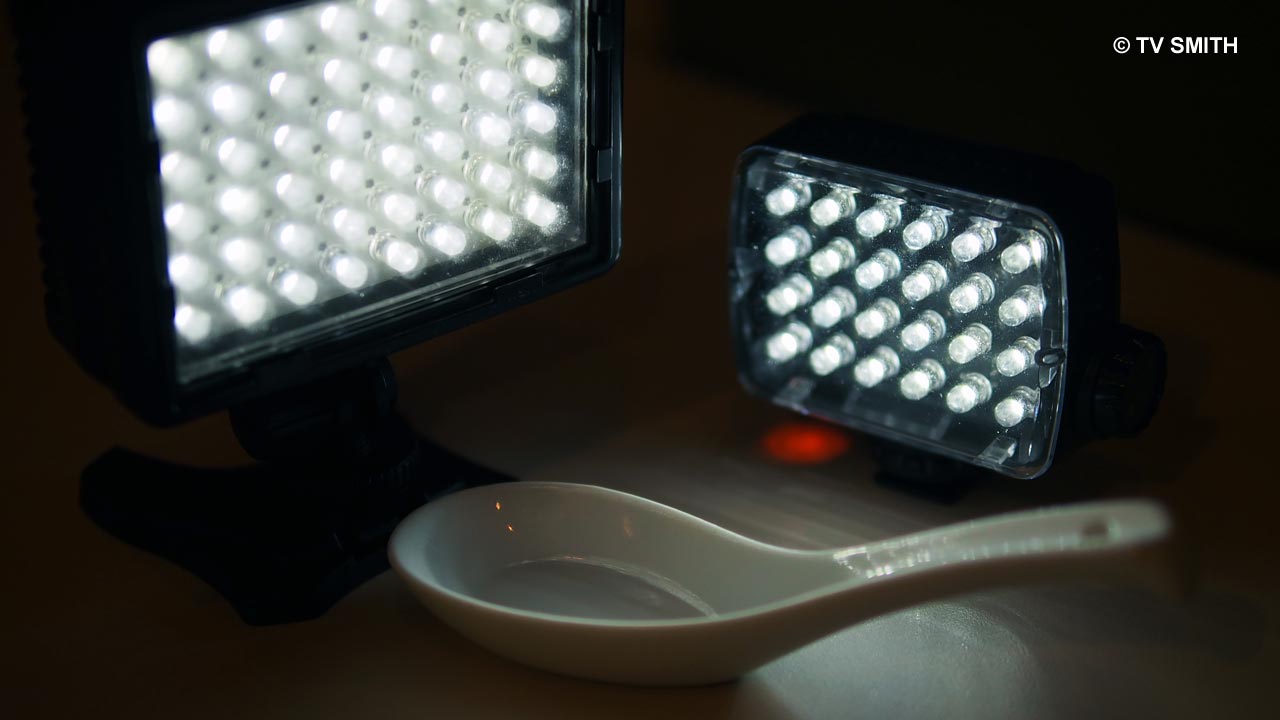
Dashing Duo: Litepanel LP-Micro and Manfrotto Mini-24 (ML240)

Dashing Duo: American Litepanel LP-Micro and Italian Manfrotto Mini-24 (ML240). You can see how tiny both these self-contained lights are. Both have variable output and have precision calibrated colour temperature, handy for video or stills tabletop work on any location.
Olympus OM-D EM-5, ISO 200, f 1.4, 1/160 sec

See also Part 1. Look out for PART 3.

Follow me on Instagram for more photography tips under username: tvsmithmy

Or read and look at more pics starting from the main page of this blog.

Click on image to see the BIG PICTURE

How To Take Better Pictures With The Samsung Galaxy S3 (Part 1)

Petronas Twin Towers photographed  with Samsung Galaxy S3

Petronas Twin Towers, Kuala Lumpur
Samsung Galaxy S III, ISO 100, f 2.6, 1/15 sec

The new Galaxy SIII (GT-19300) boasts a 8mp camera. While the cam is fairly competent, a dedicated compact camera will still run circles around it. But then again, can a compact or dSLR surf the web, tweet, play videos, navigate with its GPS and much more? And still fit inside your shirt pocket comfortably?

This answers another question I am asked ever so often: “Which is the best camera out there?”  The best camera is the one that is always by your side, ready for any unexpected photo moment. Not the expensive dSLR you leave at home because it is too heavy or is unsafe to carry.

As good as present technology is, some users still feel the pictures from their smartphones are not as smart. The reason to that could be surprisingly dumb.

Due to its position and the lack of a cover, the tiny lens is often smeared with greasy fingerprints, without the user even realising it. To obtain the best sharpness from your phone, inspect your lens and wipe it with a clean tissue. You’ll be amaze at the difference it makes!

Also, make it a habit to place the phone camera-end down into your pocket. That way you won’t grab the camera lens when taking it out. Now that we got the most important tip out of the way, let’s look at some settings for night shots for the Samsung Galaxy phone.

Manually adjust the ISO from Auto to ISO 100, unless light is really low and you have no other choice. As with any camera or camphone, the lowest ISO setting minimises picture noise. Another challenge will arise, as a result though. Shutter speed might get  too low, and given its shape, the phone will be difficult to hold steady. It is no fun to carry a tripod, however small, when you have such a slim and light phone. So how?

I use the attached Samsung accessory flip cover as a L-shaped ‘tripod’. Just rest it on any surface and angle it to your liking. This was how I photographed both the shots featured here. Not bad considering the phone was clicking below 1/20th of a second.

KLCC's Musical Fountain photograped with the Galaxy S3

Musical Fountain, KLCC Park
Samsung Galaxy S III, ISO 100, f 2.6, 1/17 sec with -1 stop compensation

Under Settings option, play with S3’s “Exposure Value” slider. It is basically exposure compensation where you can lower or increase the light to compensate for different  lighting situations. In the above picture of the fountains, I slide the value to “-1 stop” to expose for the water jets. Learn how to access this setting and understanding how it works for better pics. I will explore more of this function in upcoming picture samples  under various scenarios.

Look out for PART 2. See PART 2

Follow me on Instagram for more photography tips under username: tvsmithmy
Or read and look at more pics starting from the main page of this blog.

Click on image to see the BIG PICTURE


Why A PenPal Is Important, Especially In This Day And Age

Once upon a time, a long long time ago, there was this hobby where people exchanged letters with pen pals from around the world. Hand-written replies can take months to reach one another but it was worth the wait. There was a certain thrill in seeing an envelope with a strange stamp sticking out of the letter box. Nice as it was, the advent of e-mail and instant messaging soon put the snail mail out to pasture.

Today, not only can people communicate with random strangers at the speed of light, they can also share pictures just as quickly on social networking media via their phones. But what if you hate the quality or the lack of controls on a phone-cam or cam-phone?

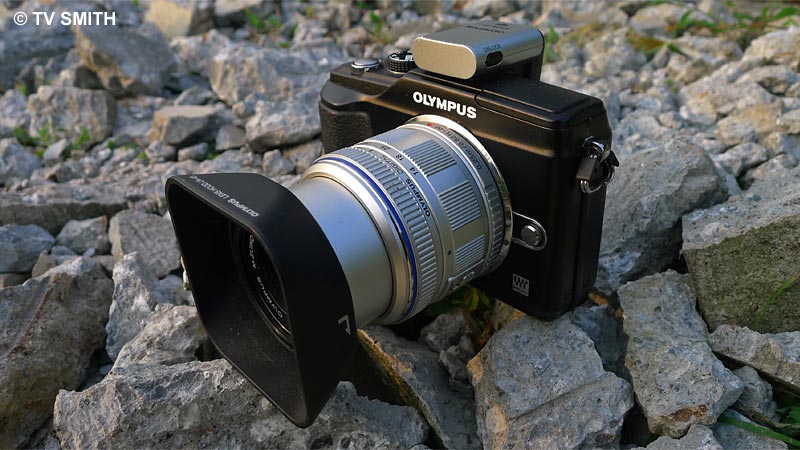
Enter the Olympus PenPal. It is an optional accessory that slots into the hot shoe of any Olympus camera equipped with the new accessory port. The device transfers photos from the camera directly to a compatible phone by Bluetooth. From the phone, the pics can then be uploaded to a photo-sharing account online.

Rock Solid. PenPal on the Pen

Rock Solid. PenPal on the Pen

Currently, there are few practical options for photographers wanting to send better quality photos out of a standalone camera, on location. With the PenPal, I can now upload pictures from my Olympus Pen camera without carrying a larger intermediate device such as my notebook or iPad.

For this review/test, I paired the PP-1 with a Samsung Galaxy S Android phone. I no longer need to shoot twice with two different devices when covering a news event that requires a live update. The original jpeg or raw files remain untouched in the camera while selected shots are resized and uploaded to my Twitpic account.

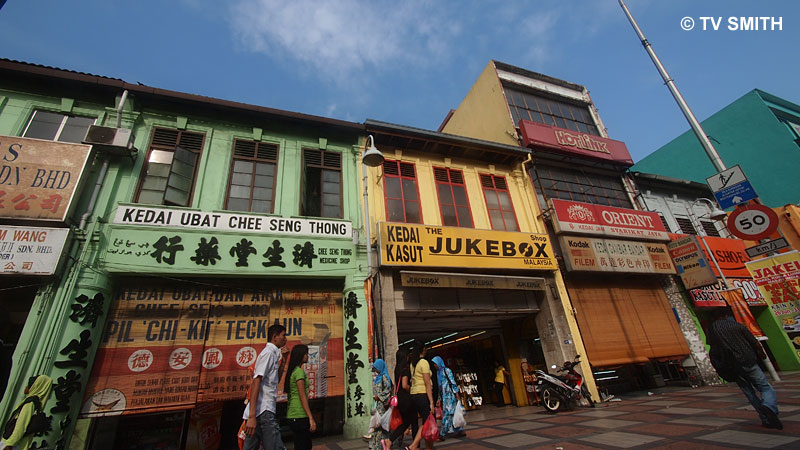
Ultrawide Chow Kit uploaded on location by PenPal

Ultrawide Chow Kit uploaded on location by PenPal

Get the bigger picture. To see the full-size Twitpic of above photo, go here

Initial (one-time) set-up was easy and intuitive enough. I didn’t even bother to read the instructions. After pairing, switch the camera to playback mode and select any picture shown on the LCD screen to export. I set the dongle to automatically reduce the export file size to 1980 by 1080 pixels. Selected images from the camera can also be copied and stored on the PP-1 (and vice-versa). And guess what? Unlike the (much more expensive) VF-2 viewfinder, there is a lock to prevent it from falling off accidentally.

For people who were put off by the messy execution of earlier BT devices, you may like to know that it is now entirely painless. In fact, it is amazingly seamless and robust. I didn’t even need to switch off the camera whenever I swapped the VF-2 for the PP-1. Every time I mount the PenPal, it communicates with the phone correctly, requiring no user intervention. The last thing you want to do under bright sun is to fiddle with settings repeatedly.

Any disadvantages? Users of other optional camera accessory such as a flash, viewfinder or microphone will need to swap devices each time. Since you are doing it on the fly, you will have to get used to seeing your own full size pictures later, after the world has seen it in all its glory 🙂

Happy Fourth of July to my American key pals!

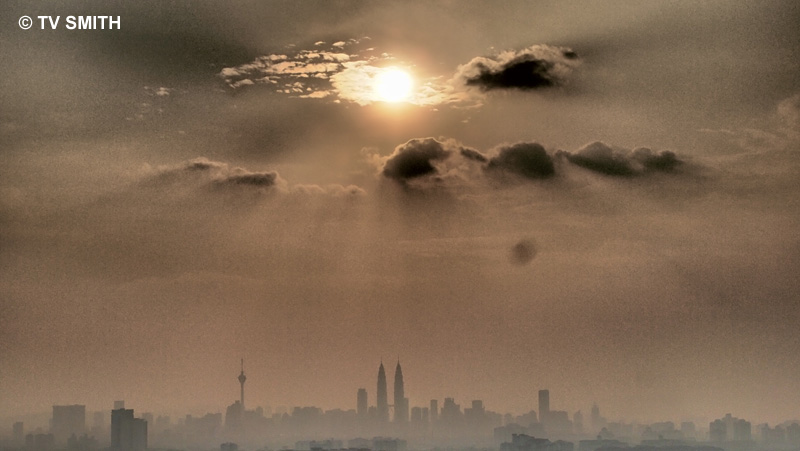
Art Filtered-Lazy-Hazy-Sunday-Sunset uploaded from the hilltop

Art Filtered-Lazy-Hazy-Sunday-Sunset uploaded from the hilltop

Get the bigger picture. To see the full-size Twitpic of above photo, go here

The Olympus PenPal PP-1 works with the new trio of E-P2, E-PL3 and E-PM1 cameras. It also works with the earlier Pen E-P2, E-PL2 and XZ-1. Reportedly, the PP-1 will not work with an iPad or iPod due to incompatible protocol. It works with most (but not all) Android, Nokia Symbian and Blackberry phones. Download compatibility chart PDF to check. I am testing a demo unit and Olympus Malaysia has yet to confirm availability nor price in Malaysia. Will update here when I have new info.