Why A PenPal Is Important, Especially In This Day And Age

Once upon a time, a long long time ago, there was this hobby where people exchanged letters with pen pals from around the world. Hand-written replies can take months to reach one another but it was worth the wait. There was a certain thrill in seeing an envelope with a strange stamp sticking out of the letter box. Nice as it was, the advent of e-mail and instant messaging soon put the snail mail out to pasture.

Today, not only can people communicate with random strangers at the speed of light, they can also share pictures just as quickly on social networking media via their phones. But what if you hate the quality or the lack of controls on a phone-cam or cam-phone?

Enter the Olympus PenPal. It is an optional accessory that slots into the hot shoe of any Olympus camera equipped with the new accessory port. The device transfers photos from the camera directly to a compatible phone by Bluetooth. From the phone, the pics can then be uploaded to a photo-sharing account online.
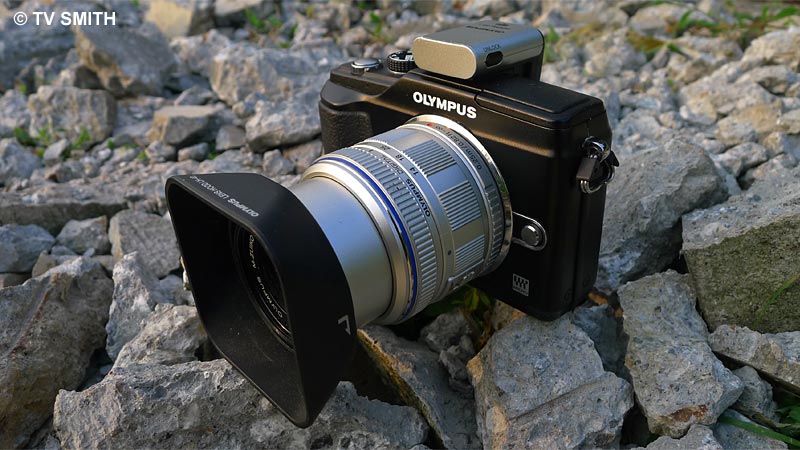
Rock Solid. PenPal on the Pen

Rock Solid. PenPal on the Pen

Currently, there are few practical options for photographers wanting to send better quality photos out of a standalone camera, on location. With the PenPal, I can now upload pictures from my Olympus Pen camera without carrying a larger intermediate device such as my notebook or iPad.

For this review/test, I paired the PP-1 with a Samsung Galaxy S Android phone. I no longer need to shoot twice with two different devices when covering a news event that requires a live update. The original jpeg or raw files remain untouched in the camera while selected shots are resized and uploaded to my Twitpic account.
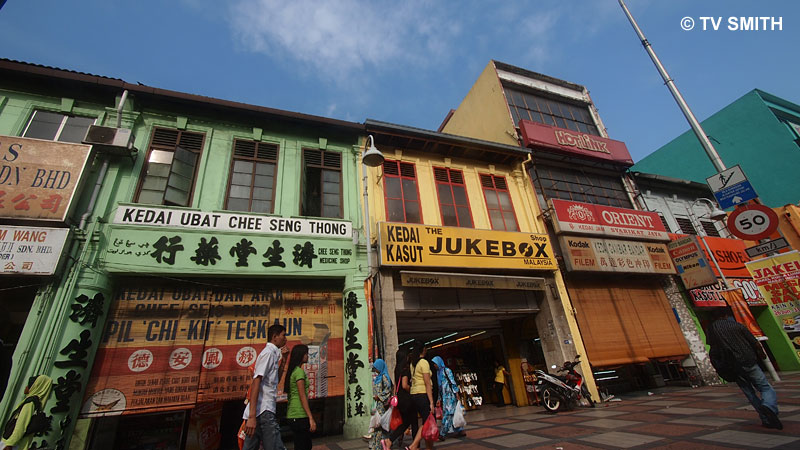
Ultrawide Chow Kit uploaded on location by PenPal

Ultrawide Chow Kit uploaded on location by PenPal

Get the bigger picture. To see the full-size Twitpic of above photo, go here

Initial (one-time) set-up was easy and intuitive enough. I didn’t even bother to read the instructions. After pairing, switch the camera to playback mode and select any picture shown on the LCD screen to export. I set the dongle to automatically reduce the export file size to 1980 by 1080 pixels. Selected images from the camera can also be copied and stored on the PP-1 (and vice-versa). And guess what? Unlike the (much more expensive) VF-2 viewfinder, there is a lock to prevent it from falling off accidentally.

For people who were put off by the messy execution of earlier BT devices, you may like to know that it is now entirely painless. In fact, it is amazingly seamless and robust. I didn’t even need to switch off the camera whenever I swapped the VF-2 for the PP-1. Every time I mount the PenPal, it communicates with the phone correctly, requiring no user intervention. The last thing you want to do under bright sun is to fiddle with settings repeatedly.

Any disadvantages? Users of other optional camera accessory such as a flash, viewfinder or microphone will need to swap devices each time. Since you are doing it on the fly, you will have to get used to seeing your own full size pictures later, after the world has seen it in all its glory 🙂

Happy Fourth of July to my American key pals!
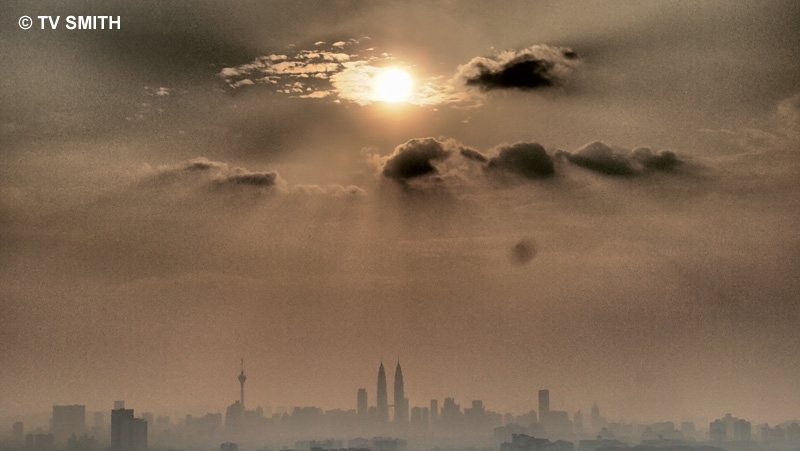
Art Filtered-Lazy-Hazy-Sunday-Sunset uploaded from the hilltop

Art Filtered-Lazy-Hazy-Sunday-Sunset uploaded from the hilltop

Get the bigger picture. To see the full-size Twitpic of above photo, go here

The Olympus PenPal PP-1 works with the new trio of E-P2, E-PL3 and E-PM1 cameras. It also works with the earlier Pen E-P2, E-PL2 and XZ-1. Reportedly, the PP-1 will not work with an iPad or iPod due to incompatible protocol. It works with most (but not all) Android, Nokia Symbian and Blackberry phones. Download compatibility chart PDF to check. I am testing a demo unit and Olympus Malaysia has yet to confirm availability nor price in Malaysia. Will update here when I have new info. 
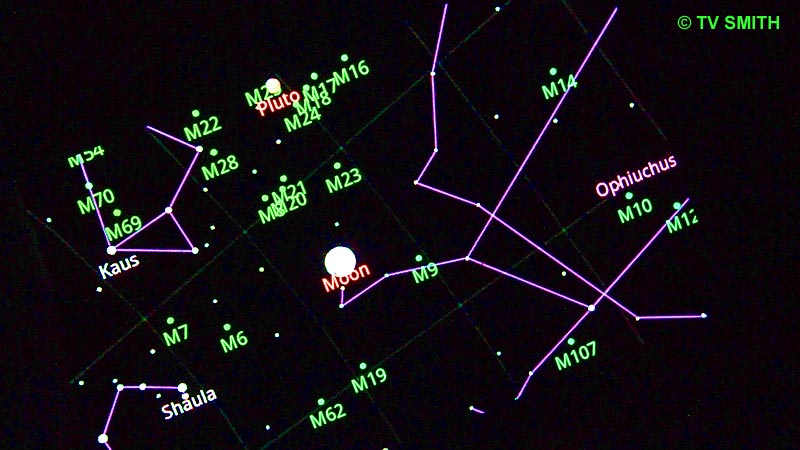
The Night of Two Eclipses

Google Sky Map as displayed on my Samsung Galaxy S

Google Sky Map as displayed on my Samsung Galaxy S

I was torn between watching the Lunar Eclipse and another eclipse unfolding on the ground. Hacktivists launched ‘Operation Malaysia’ at about the same time when the celestial bodies lined-up early this morning.

The pre-declared cyber war on Malaysian government websites started earlier at around 1:30 am. Only a couple of sites appeared defaced while some others probably pre-empted the hostilities by going off-line in advance. The sheer number of curious visitors could have also caused some of the servers to keel over.

The fun however was in observing the camaraderie among the many excited supporters who commented live on Twitter and blogs. Many Internet users see the blocking of file-sharing sites as protecting the interest of big business and maybe even Uncle Ho. The ‘Anonymous’ hacker group deemed it as unfair censorship while the government insists that copyright violations must be policed.

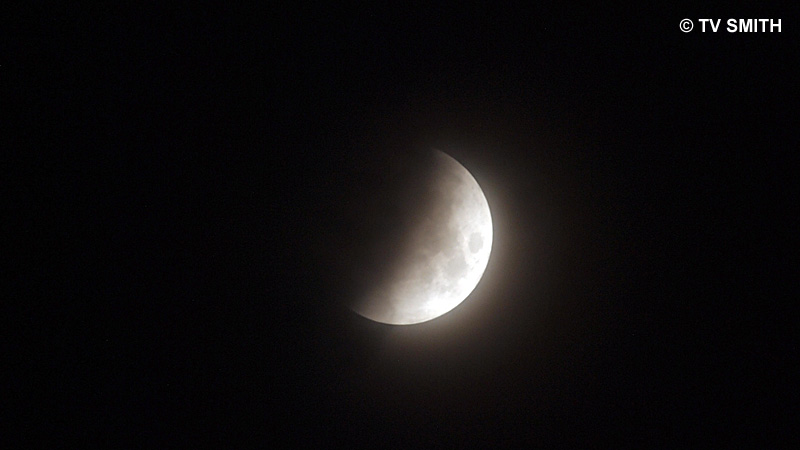
2:53 am Malaysian Time: Half Eclipse

2:53 am Malaysian Time: Half Eclipse

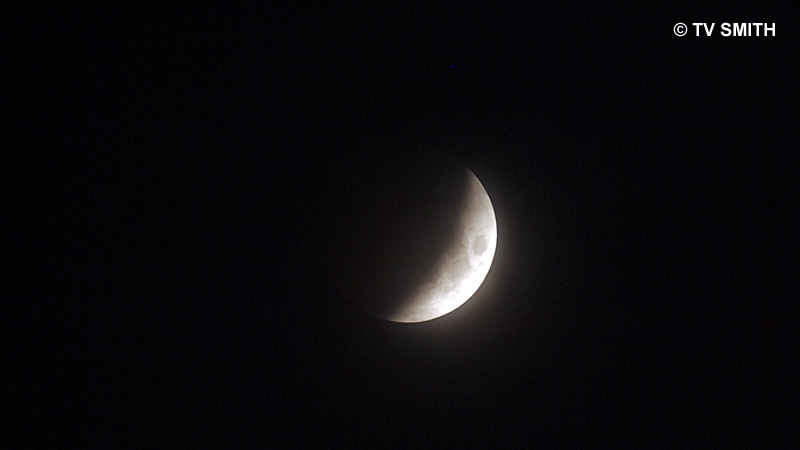
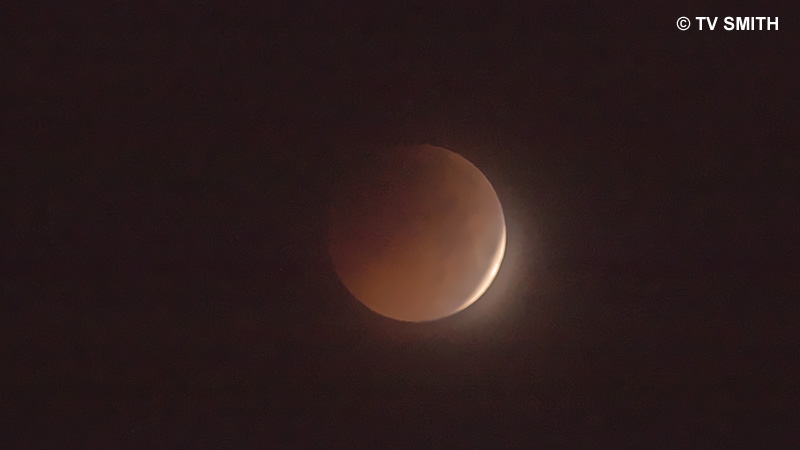
Meanwhile, the real eclipse is considered (relatively) rare as the center of the earth’s shadow will move across the moon. Here in Malaysia, it was to be an almost total eclipse. Using Google Sky Map on Android and my trusty Garmin 60CSX GPS, I calculated the moonrise, trajectory and angle in advance.

And what do I know? The best place to observe or photograph the eclipse was not the planetarium but at my own little garden. I set up the Olympus E-PL2 with a 300mm Zuiko lens on a sturdy Manfrotto tripod and triggered the rig by a wired remote. Even had my laptop next to the garden chair, still running off the home wi-fi. Only thing I can’t predict nor control is the spoiler of many past eclipses; clouds.

2:53 am Malaysian Time: Three-Quarter Eclipse

2:53 am Malaysian Time: Three-Quarter Eclipse

3:20 am Malaysian Time: Near Total Eclipse

3:20 am Malaysian Time: Near Total Eclipse

Clouds came in after that but I was still able to track the moon’s position although it was totally hidden. Google Sky Map uses the phone’s built-in accelerometer sensors and GPS to determine which part of the sky the phone is pointing to.

Tasty Froyo: Android 2.2 For Samsung Galaxy S

Google has been naming the various iterations of the Android mobile OS after desserts. There is some method to the madness, though. Each flavour represents an alphabet. So far, we have Cupcake (1.5), Donut (1.6), Éclair (2.1), Froyo (2.2), Gingerbread (3.0) and the future Honeycomb. There’s talk of Ice Cream to follow. Serious 🙂

When I purchased the Samsung Galaxy S last July, it came with Version 2.1. Although the Galaxy is armed with the very fast Hummingbird processor, it felt a bit laggy when too many programs were opened. So, after having sold 10 million Galaxy S phones (in six months), the official update finally lands in Samsung Malaysia.

I upgraded quite by accident. I went over to Samsung Service Plaza in Petaling Jaya to buy the (original) spare battery (RM 116), wall charger (RM 49.80) and USB cable (RM 16.80). I was pleasantly surprised that the prices were very much lower than those quoted by several greedy phone vendors in Plaza Low Yat. I asked about upgrading to a stable version of Froyo and was surprised Samsung was willing, even though I didn’t bring the warranty or have proof of purchase.

The counter person, a Ms Rekha, was very helpful. She even assisted me in removing and inserting the SIM and microSD into a spare Nokia phone of mine. Which wasn’t really necessary as the update was completed in less than 15 minutes. An SMS was automatically sent (to my contact number) when the technician completed the task.

Remember everything on the phone will be wiped off in the process. So, back-up your contacts, messages, data, pics and programs, before hand. Fortunately, I stored all my pics and videos in the external SD. I had also moved all contacts to the cloud (Gmail) and the list was magically restored as soon as I logged-in again.

The professional and efficient service rendered made up for the horrible Kies PC-connecting software that Samsung provides. So, there you go. No more hunting, downloading, wondering if you have the correct version and pulling your hair out. All painless, free and almost instantaneous at Samsung Malaysia.

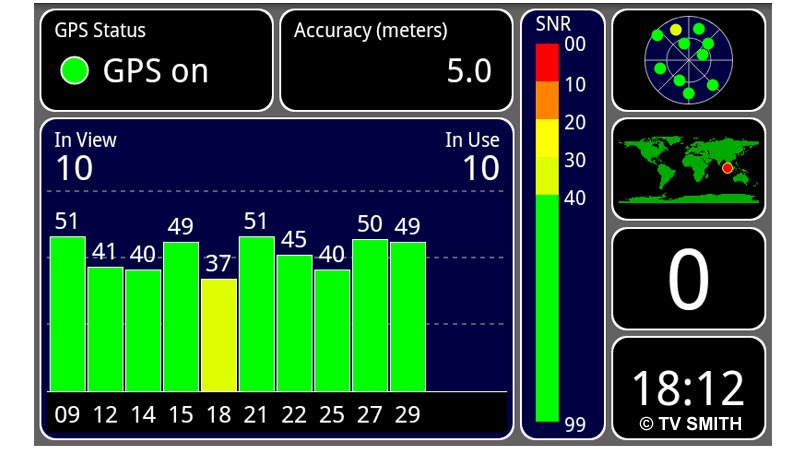
Screenshot of GPS

One of the best new Froyo features (for me) is the easy, built-in screen capture function. How to do it? Just hold down the back button and press the home button at the same time. You will hear a camera shutter sound and the image will be saved to a folder in the internal SD. I use SwiFTP to transfer the files to my PC via Filezilla, when both are on the same Wi-Fi network. Totally wireless. The GPS indeed works better now. Getting a lock is faster and accuracy with Google Maps has improved.

Froyo 2.2 Android

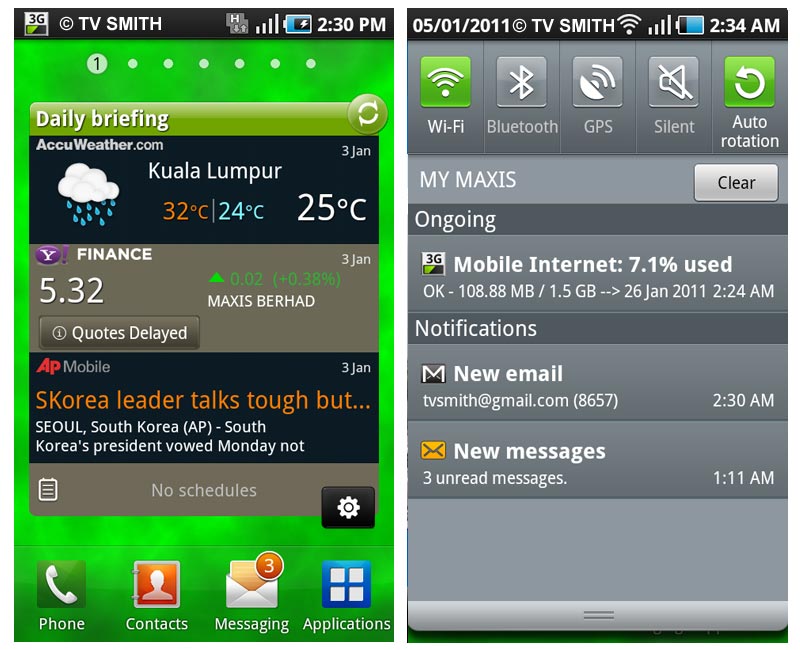
There are a number of improvements under the hood. While 2.2 offers quite dramatic performance gains, the Samsung firmware has added a number of subtle tweaks to the interface. There is now an unread message count in the icon, among many other thoughtful little touches (screenshot below).

Subtle Differences

Mobile AP

I never had much luck with the Mobile AP functionality in the previous version. Now the phone can act as a wireless hotspot seamlessly for both my notebook and iPad.

Better Market

Market (like the Apple’s App Store) gets a better interface (left).  The live webcam of the Johor-Singapore Causeway also appeared smoother and loads very fast with Froyo.

Galaxy Daily Briefing

Samsung Daily Briefing widget (left) & the new Drop-Down Notification Bar. Auto-rotation lock added in new version.

Android Apps

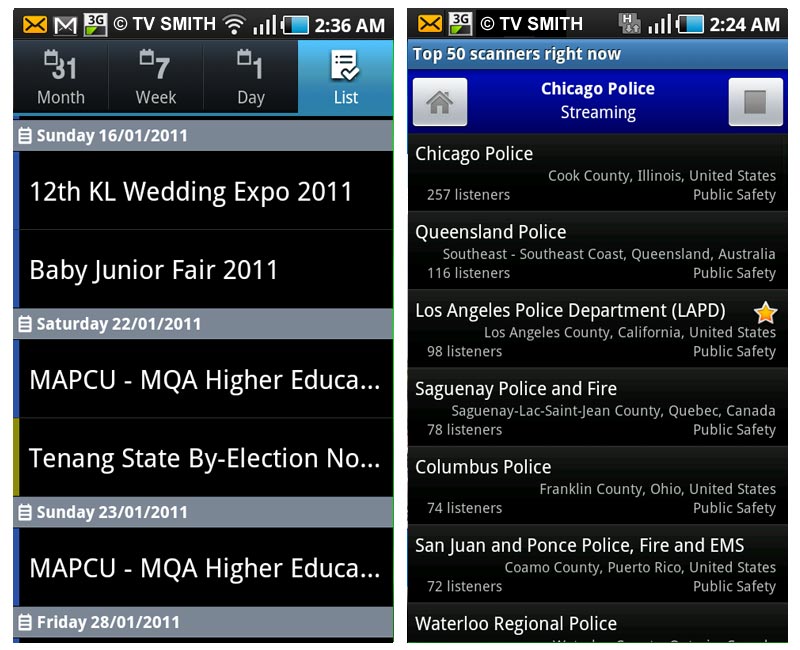
Live Feeds: MyCen Events Calendar instant updates (left) and listening to an exciting, ongoing, real-life  ‘cops & robbers’ pursuit, live via police radio scanner app.

How To Go: MyCen Map of Samsung Customer Service Plaza in Petaling Jaya