Defy The Elements

There I was last week, in the middle of the jungle, following the Rainforest Challenge Expedition. I had my Samsung Galaxy S phone and wallet safely stored in my SealLine waterproof neck pouch. But you know that sinking feeling when you are wading waist-deep in a giant mud pond. Now, if only Motorola had launched the Defy a week earlier…

Sarong Dipping: All Eyes On The Defy

Concrete Jungle Dip: All eyes on the phones, please...

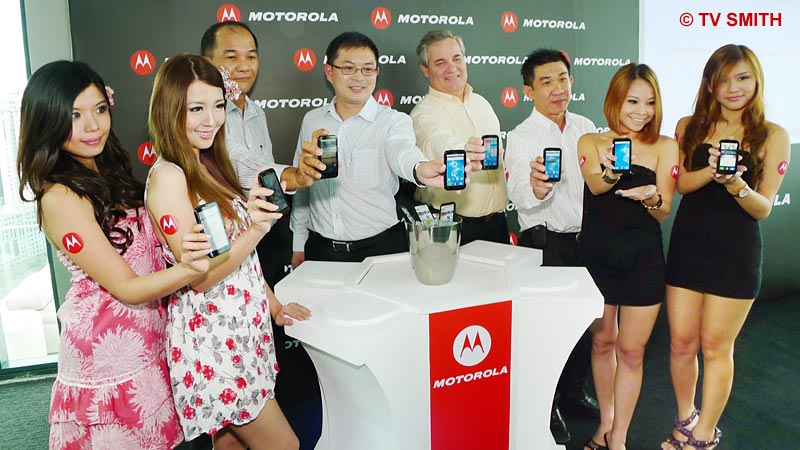
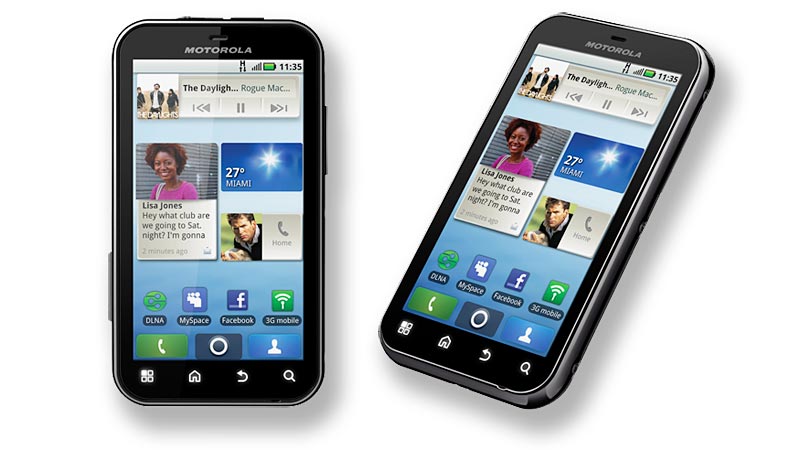
Here I am today, on the Rooftop Mixology Bar of G Tower, observing two lovely ladies taking the new Motorola Defy for a dip. Motorola Mobility has just launched the new Motorola DEFY, moments ago. DEFY is a slim, full-featured Android smartphone that is water, dust and scratch resistant. The large display is made of Gorilla Glass, well known for its resistance against impact and scratch damage. Hey, it’s Life Proof!
Popping The Phones
Popping The Phones

Motorola Defy

Motorola Defy

Motorola DEFY will be available before Christmas 2010 at all Maxis Centres and at their selected partner outlets nationwide for RM1,599. Maxis will also be offering the phone from RM999 with Maxis Value Plus plans and a data bundle. In Malaysia, Motorola DEFY is distributed by Brightstar Distribution Sdn Bhd.
Understanding QR Codes

Some of you may have noticed a strange badge appearing on the lower part of the pages at the new MyCen Maps beta. The thingy is a QR (Quick Response) Code. So what can you do with it?

QR Code

Scanning a QR Code

Just like barcodes, the QR codes contain info that can be extracted with a scanner. With an iPhone, Android or Symbian smartphone, you can install a scanning application and the phone’s camera will function as a bar code reader.

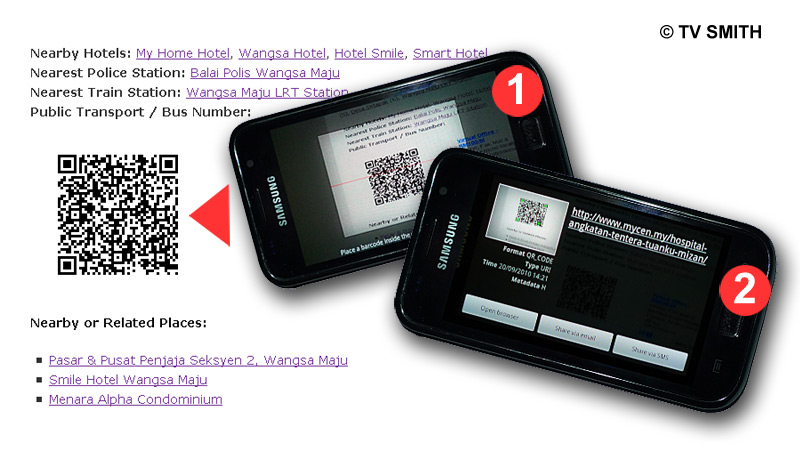
For my Android-powered Samsung Galaxy S, I use the free app ‘Barcode Scanner’,  downloaded from the Market. Just point the camera at the code on your PC screen (screenshot 1) and it will convert it to a link almost instantly (screenshot 2). You can then either e-mail, bookmark or open it right away in your mobile browser (provided data, 3g or gprs connection is available).

Why would you want to get a particular MyCen Map page into your mobile phone? When you are on the road and heading for that unfamiliar area. All the integrated info such as map, pictures, nearby hotels, police stations, landmarks, GPS coordinates and other links will come in handy.

Of course, there are other ways to get an address into your phone but this is a quick and dirty method. Incidentally, the codes can be printed and scanned off a t-shirt too, if the wearer is not too voluptuous 🙂