A Whole New World

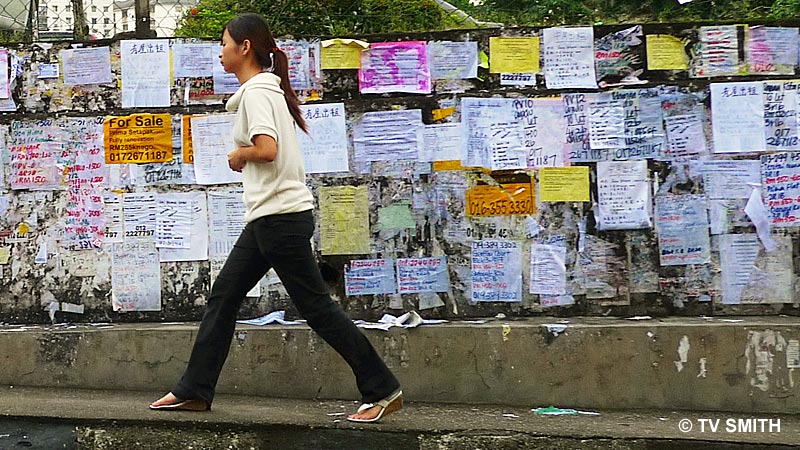
In Malaysia, a whole new world is evolving without computers and networks. A world where people fulfill their needs off a wall. For many netizens, it is easy to forget that our country is progressing along just fine without online classifieds, forums or auctions.

The Wall

The Great Wall Of Malaysia

While there may be no fees or posting rules, there is a powerful moderator. Mother Nature will see to it that the messages expire on time, every time.

See also my observations from year 2003: Add Ad Anywhere & Penang: Pearl Jammed

Understanding QR Codes

Some of you may have noticed a strange badge appearing on the lower part of the pages at the new MyCen Maps beta. The thingy is a QR (Quick Response) Code. So what can you do with it?
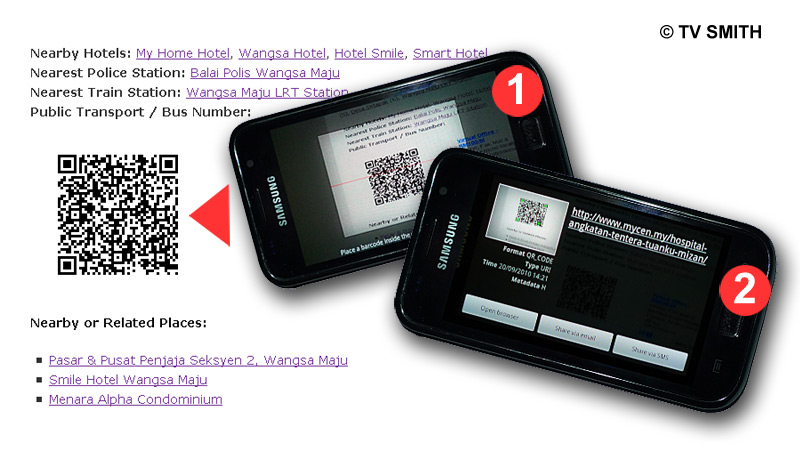
QR Code

Scanning a QR Code

Just like barcodes, the QR codes contain info that can be extracted with a scanner. With an iPhone, Android or Symbian smartphone, you can install a scanning application and the phone’s camera will function as a bar code reader.

For my Android-powered Samsung Galaxy S, I use the free app ‘Barcode Scanner’,  downloaded from the Market. Just point the camera at the code on your PC screen (screenshot 1) and it will convert it to a link almost instantly (screenshot 2). You can then either e-mail, bookmark or open it right away in your mobile browser (provided data, 3g or gprs connection is available).

Why would you want to get a particular MyCen Map page into your mobile phone? When you are on the road and heading for that unfamiliar area. All the integrated info such as map, pictures, nearby hotels, police stations, landmarks, GPS coordinates and other links will come in handy.

Of course, there are other ways to get an address into your phone but this is a quick and dirty method. Incidentally, the codes can be printed and scanned off a t-shirt too, if the wearer is not too voluptuous 🙂
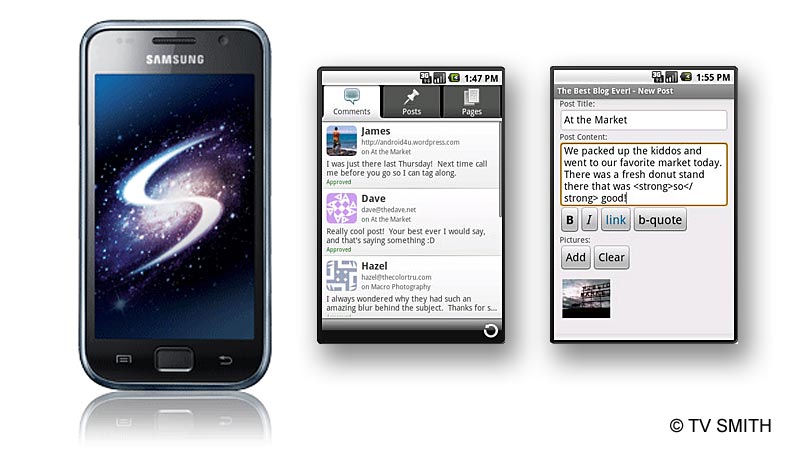
WordPress for Android

Yay! WordPress for Android app allows me to post from my Samsung Galaxy S phone any time, anywhere.

Galaxy S & Android & WordPress

Galaxy image from my.samsungmobile.com & screenshots from android.wordpress.org

The Galaxy S with its 4-inch Super AMOLED screen is already easier to read or type, when compared with my previous phones. And now with this app, I can write and post from bed, as I am doing now 🙂

Have not really tested all the features as yet. A cursory inspection revealed a built-in comment notification and approval function in the application. Everything seems intuitive enough.

Posted from WordPress for Android

Edit: For the purpose of this test, I edited this post from the desktop, after uploading it as draft from the phone. One can easily set categories and create tags too, after composing the post while mobile.  I inserted the pic and video from the PC but I am sure it can be done on the phone itself. I am feeling too sleepy to figure that out for now. Good night…

Links: WordPress for Android | Samsung Galaxy S Malaysia

Watch the video: